omniauth-twitter2 gem - How to authenticate twitter account by OAuth 2.0 on your Rails app?
tl;dr
I made this gem.
https://github.com/unasuke/omniauth-twitter2
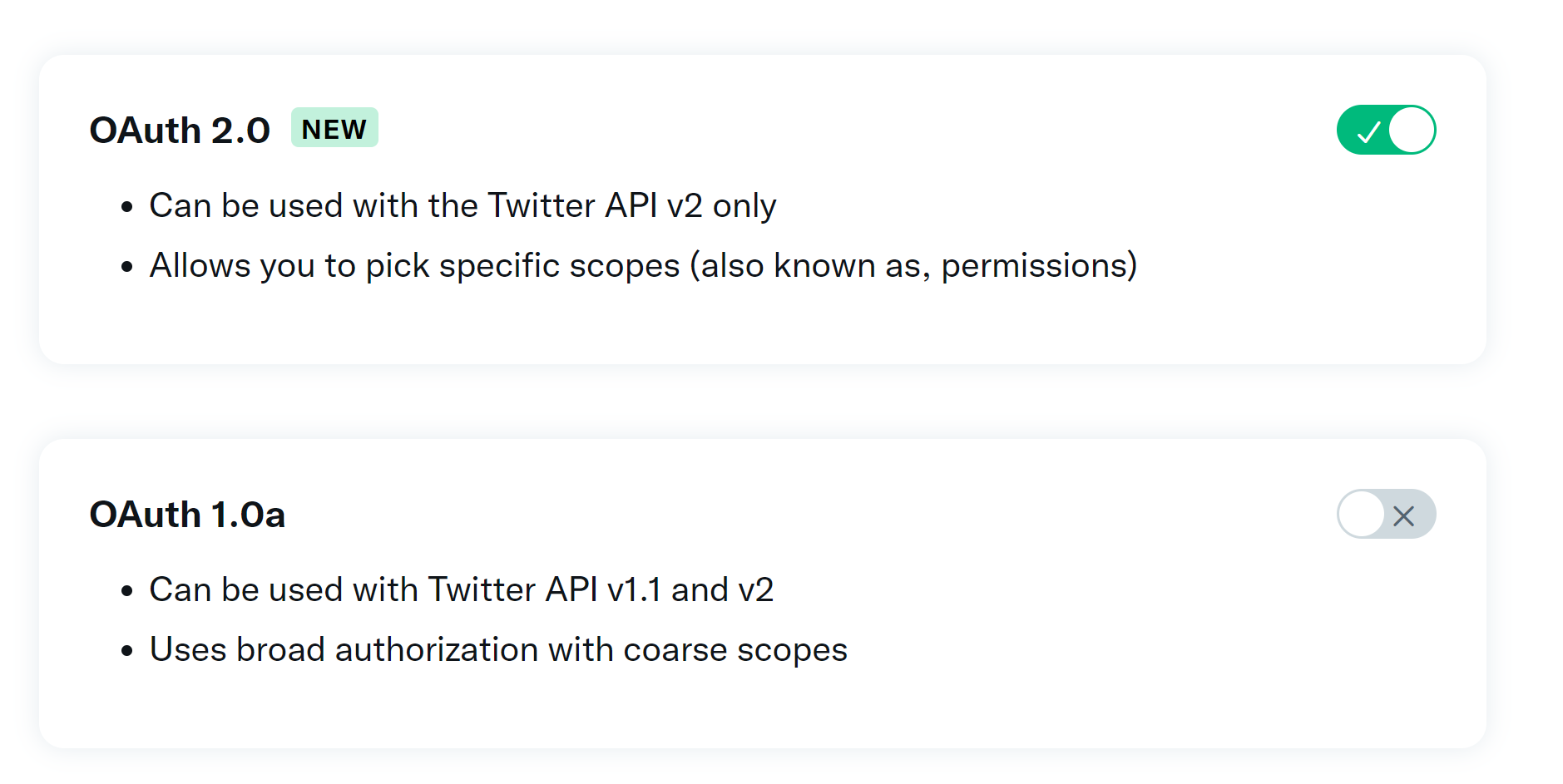
This gem is one of the OmniAuth strategies for Twitter, using OAuth 2.0 for the authentication protocol.
We have omniauth-twitter gem. Why this gem?
Yes, the omniauth-twitter gem is a well-maintained, widely-used gem.
https://github.com/arunagw/omniauth-twitter
But, omniauth-twitter uses OAuth 1.0a.
Twitter OAuth 2.0 GA from 2021-12-15
When 2021-12-15, Twitter announced OAuth 2.0 General Availability.
We can hardly believe it either, but It’s finally here! ⌛
— Twitter Dev (@TwitterDev) December 14, 2021
Today, OAuth 2.0 and new fine-grained permission scopes are available to all developers. Thank you to our developer community who worked alongside us in the beta, and helped us get this right. https://t.co/jVJeDuF7rm
And we can use “new fine-grained permission scopes” at the release.
We could choose those three kinds of scopes in the older permission scope. That’s too rough.
- Read
- Read and Write
- Read and write and Direct message
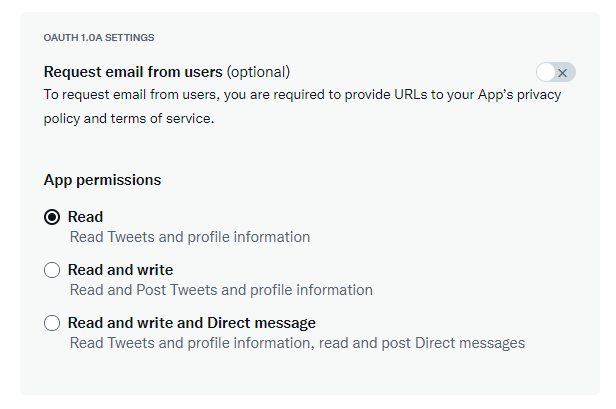
But now, We can choose enough permissions from the list on OAuth 2.0 (through Twitter API V2)
https://developer.twitter.com/en/docs/authentication/oauth-2-0/authorization-code
tweet.read, tweet.write, tweet.moderate.write, users.read, follows.read, follows.write, offline.access, space.read, mute.read, mute.write, like.read, like.write, list.read, list.write, block.read, block.write
OK, how to use twitter with OAuth 2.0 with my rails app?
I created a gem, “omniauth-twitter2”.
https://github.com/unasuke/omniauth-twitter2
This is one of the omniauth strategies, so it’s easy to integrate your rails app if you use omniauth (or devise?)
(“2” means OAuth 2.0, not means successor of “omniauth-twitter” gem. because the gem still working everywhare!)
And I have created a sample application that uses omniauth and omniauth-twitter2.
- URL: https://twitter-login-app.onrender.com/
- Source code: https://github.com/unasuke/twitter-login-app
This app only signs in with twitter, but it’s enough to show how to implement “sign in with Twitter”.
Attention
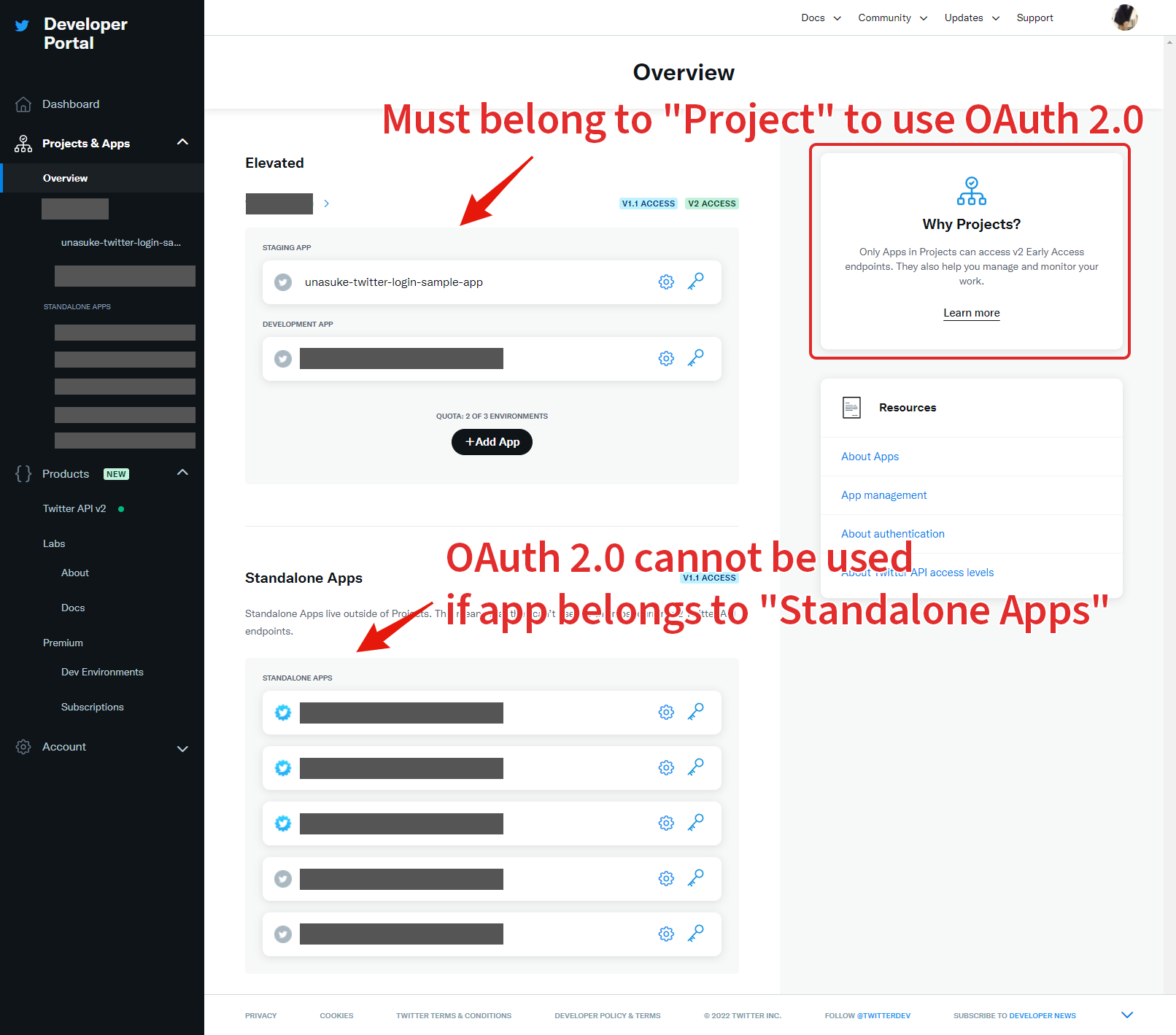
If you want to use OAuth 2.0 API in your twitter app, you should move your app to under “Project”. You can’t use OAuth 2.0 in your app if the app is still a “Standalone app”.
…And I’m not a specialist in the authentication. Please give me a pull request or issue if you found a bug.